Bluetooth Thermal Label Printer, Wireless 4X6 Shipping Label Printer for Small Business & Shipping Packages, Support Iphone, Android, Windows, Macos, Work for Amazon, Ebay, Shopify, Etsy, USPS
Bluetooth Thermal Label Printer, Wireless 4X6 Shipping Label Printer for Small Business & Shipping Packages, Support Iphone, Android, Windows, Macos, Work for Amazon, Ebay, Shopify, Etsy, USPS
Estimated Shipping Widget will be displayed here!
Couldn't load pickup availability
- High-Speed & Cost-Saving Printing - The Hoorola thermal label printer prints up to 72 crisp 4x6 shipping labels per minute at 150 mm/s with a 203 DPI print head, keeping barcodes and text sharp for Amazon, eBay and Shopify shipping. Direct thermal printing requires no ink or toner, helping small businesses reduce long-term costs while supporting continuous, high-volume label printing
- Wireless Bluetooth Printing – Connect your HOOROLA Bluetooth label printer to iOS 13+ and Android devices using the “Label Expert” app for wireless, cable-free printing. Windows 7+ and macOS (including M1/M2) also support Bluetooth printing through the driver, offering smooth setup across phones, tablets, and computers. All devices connect through the app/driver for best performance, making it ideal for home offices, warehouses, and retail use
- USB Computer Printing – For Windows, macOS, Linux and Chrome OS computers, the printer supports reliable USB printing for stable desktop use. Both Windows and macOS users can choose between USB or Bluetooth connections depending on their workflow needs. This consistent wired setup works well for 4×6 shipping labels, barcode labels, product stickers, and daily business tasks
- Wide Compatibility & Label Sizes - This label printer for small business works with Amazon, eBay, Shopify, USPS, UPS, ShipStation, Shipping Easy, Shippo, ShipWorks, Ordoro and more. Supports fanfold and roll labels from 1.54" to 4.1", including 4x6, 3x2, 3x1, 2x1 and custom sizes—perfect for shipping, mailing, barcode, price and inventory labels in home or business environments
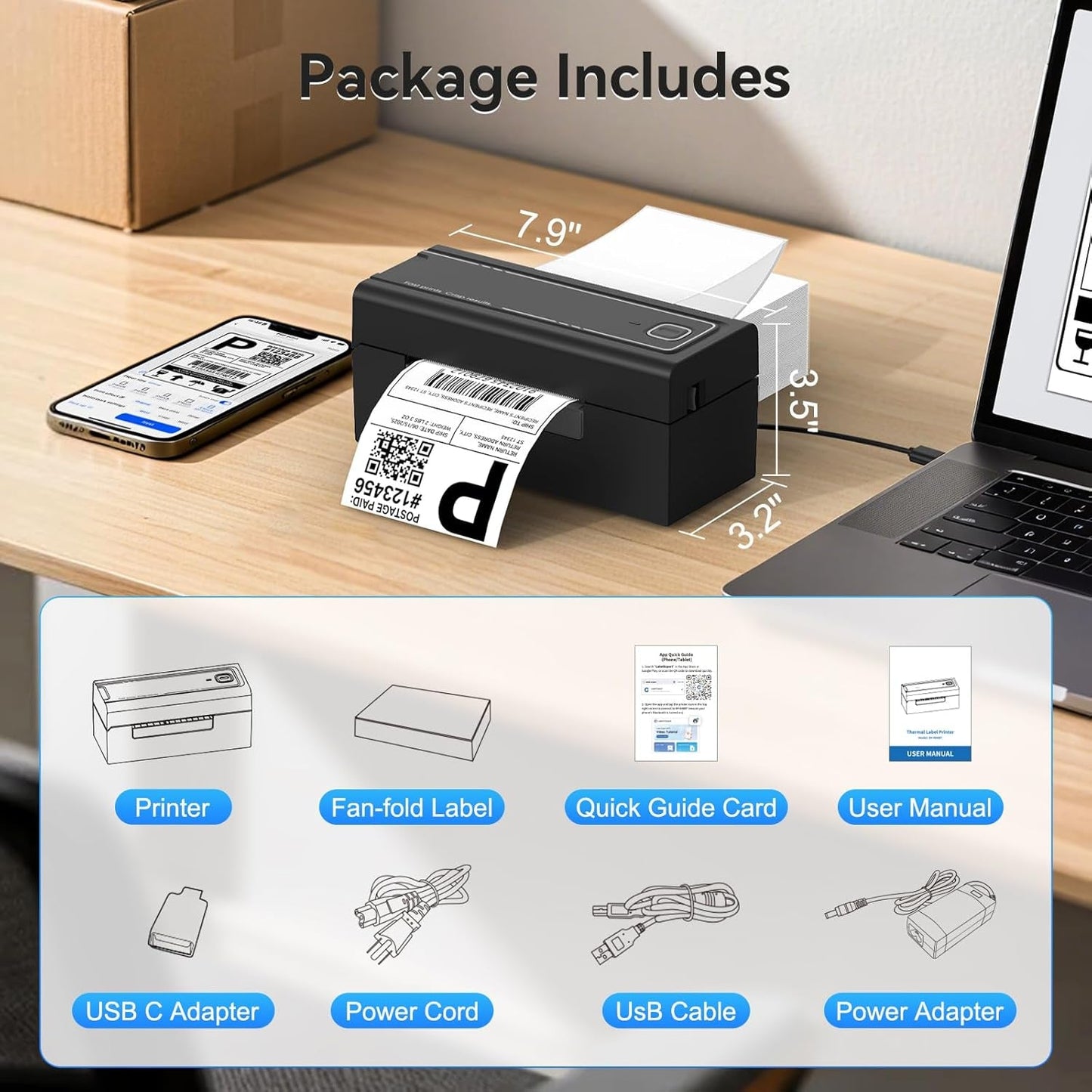
- Compact Design & Easy Setup - Designed for space-saving setups, this Bluetooth thermal label printer fits any desk in home offices, retail stores or warehouse packing stations. Lightweight and fast to install, it prints instantly via Bluetooth or USB. A dependable 4x6 label printer for daily operations, backed by responsive customer support for setup and troubleshooting
Product description
-
How to connect Mobile Device to printer via bluetooth
1. Turn on the printer.
2. Download Label Expert from the App Store or Google Play
3. Open the app and tap the top-right printer icon to connect via Bluetooth and start printing
Note: Bluetooth connection must be completed inside the app, not in your phone’s Bluetooth settings.
The video showcases the product in use.The video guides you through product setup.The video compares multiple products.The video shows the product being unpacked.Mobile device connected to printer
Merchant Video -
How to connect MacOS to printer via bluetooth
1. Turn on the printer.
2. Download the driver from the HOOROLA official website
3. Follow the on-screen instructions to complete setup and start printing
Note: The label printer is compatible with Windows 7+ and macOS 11.5+
The video showcases the product in use.The video guides you through product setup.The video compares multiple products.The video shows the product being unpacked.Pairing Your macos via Bluetooth
Merchant Video
| Supports Bluetooth devices | Mobile devices: iOS, Android, tablets PC: Windows 7 or later, and macOS 11.5 or later |
| Supports USB devices | Windows, macOS, Linux, and Chrome OS |
| Do I need ink or toner? | No ink or toner is needed. The printer uses direct thermal technology, meaning it prints by heating specialized thermal labels. This reduces supplies you need to buy, keeps daily workflow clean. |
| Are labels included? | The package includes 50 sheets of 4×6 thermal labels for testing and setup. These starter labels help you verify print clarity and calibration before using your regular label supply. |
| Support logistics platform | Yes. The printer works with major shipping and e-commerce platforms including Amazon, eBay, Shopify, USPS, UPS and others. Export your label as a PDF, select the correct size, and print through the app or driver for accurate 4×6 results. |
| First-time setup tips? | Load the labels with the thermal side facing up, run auto-calibration, and install the app/driver for your device. Use Bluetooth on phones/tablets, or Bluetooth/USB on computers. These steps ensure smooth setup for home offices, stores, or warehouse stations. |
| What label sizes work? | Supports foldable and roll-fed labels ranging from 1.54 inches to 4.1 inches in width, including common specifications such as 4×6, 3×3, 3×2, 3×1, 2×1, round labels, and more. |
| How to fix paper jams? | Check that both edges of the label stack align with the guide rails and match the clip width. Remove curled labels, clean the paper path and roller with an alcohol wipe, then reload the stack. |
| Why blank or skipping labels? | Recalibrate after loading labels to ensure the sensor detects the gaps correctly. Make sure the thermal side faces up and the labels sit flat in the guides. In your print settings, confirm the correct paper size and choose “Scale to Fit” to prevent misalignment. |
| Labels look blurry/light? | Increase the “density” level in the Label Expert application or computer driver—most thermal paper yields optimal results starting at levels 8-10. Ensure you use high-quality label paper, as inferior paper may affect print clarity. You may also gently wipe the print head with an alcohol swab to remove residue. |
| Label doesn’t fill 4×6 paper? | This usually happens when the original file is created in A4 size, so the content only uses part of the page. We recommend opening the PDF in Label Expert APP and using the one-click crop feature, which automatically resizes the print area to fit labels without manual adjustment. |
| Printer not printing? | Please make sure the printer is powered on and connected directly to your device. We suggest reinstalling the driver, removing any previous driver during installation, and restarting your computer. If the issue continues, try a different USB port or cable. |
Delivery Policy
Delivery Policy
- "Given in good faith": The company is providing the estimate honestly and based on the information available at the time, using their best judgment and typical operational performance. We genuinely intend to meet the estimate .
- "Estimates": The provided timeframe is a projection, not a guarantee. It acknowledges that the actual delivery time can be influenced by various factors outside the company's direct control .
- Implied Limitations: The statement essentially means: "We will do our best to deliver by this date, but we cannot be held legally responsible if delays occur due to unforeseen circumstances".
Frequently asked questions
Frequently asked questions
Does Your Company Stock Products ?
Yes! However due to popular demand of some brands and products these items aren't always readily available at all times due to there high demand. Nevertheless these items can be preordered offering the same value and quality .
How Long Does Delivery Take?
Delivery Can Take 1-3 Business Days for In-Stock Items Guaranteed , However Preordered items During Our Peak Seasons Which are Christmas ,Carnival , Easter and Summer Can Take 4-6 weeks . Nevertheless as mentioned in our Delivery these are estimates and are given in good faith, Products can arrive before time frame given .
Do you have any physical locations?
We are Strictly and Online store , there is no physical location.
What are your support hours?
Our Customer Support Hours Via Facebook, Instagram Whatsapp Monday - Friday 8am - 3 pm.
What happens if I miss my delivery?
If no one is available to receive your order at the scheduled time:
- Our team will attempt to contact you.
- A re-delivery may be scheduled, but additional fees may apply.
Do you offer delivery services?
Yes! We provide delivery services across Trinidad and Tobago:
- FREE Delivery: Available for orders over $6,000 TTD.
- Standard Delivery Fee: $50-$100 TTD for orders below $6,000.
Do you offer warranties on products?
Yes, warranties vary depending on the product and manufacturer. Warranty details will be provided at the time of purchase.
How can I contact customer support?
For any inquiries, you can reach us through:
Phone: (868) 341-JTPA (5872)
How long does it take for an order to be processed and delivered?
InStock Orders are typically processed within 2-3 business days. Once processed:
- Home Delivery: Items will be delivered within the standard timeframe.
What payment gateways does our company use?
Our Company uses serval payment gateways. These gateways are safe and effective .Customers have the Option of using different options such as: FirstCitizens, Republic Bank, Soctiabank , Wipay. Paywise ,Paypal and Fygaro .
Merchandising tips
Merchandising tips
Share